Now recording · macOS & Windows
Even your bad takes deserve an audience.
Load a scene, take the mic one line at a time, and play the whole thing back in your voice. Then send the wreckage to everyone you know.
Compatibility
Already have Choicer Voicer Dub Packs? They just work.
The Choicer Voicer builds for Windows and Linux, and has never had a
Mac version. Bad Takes is a native Mac app that loads the same Dub
Packs, unchanged — including a packs_voice folder copied
straight off a Windows install.
On a Mac
No Mac version. Here's every way around it.
| Route | Loads your Dub Packs | Cost | The catch |
|---|---|---|---|
 BADTAKES BADTAKES
|
Yes, unchanged | Free | Dub mode only — the best part, obviously |
| The Choicer Voicer | Not on a Mac | $5 | Windows and Linux only — no Mac version has ever shipped |
| CrossOver | Yes, inside a bottle | About $75 a year | Packs go in a buried drive_c path |
| Parallels | Yes, in a full Windows install | Around $100 a year, plus Windows | A virtual machine to record one line |
| Boot Camp | Yes, in a full Windows install | Free, plus Windows | Intel Macs only — never on Apple silicon |
| Whisky | Yes, inside a bottle | Free | Discontinued — no longer officially distributed |
How it works
Pick a scene. Record your bad takes. Share it to your audience.
-
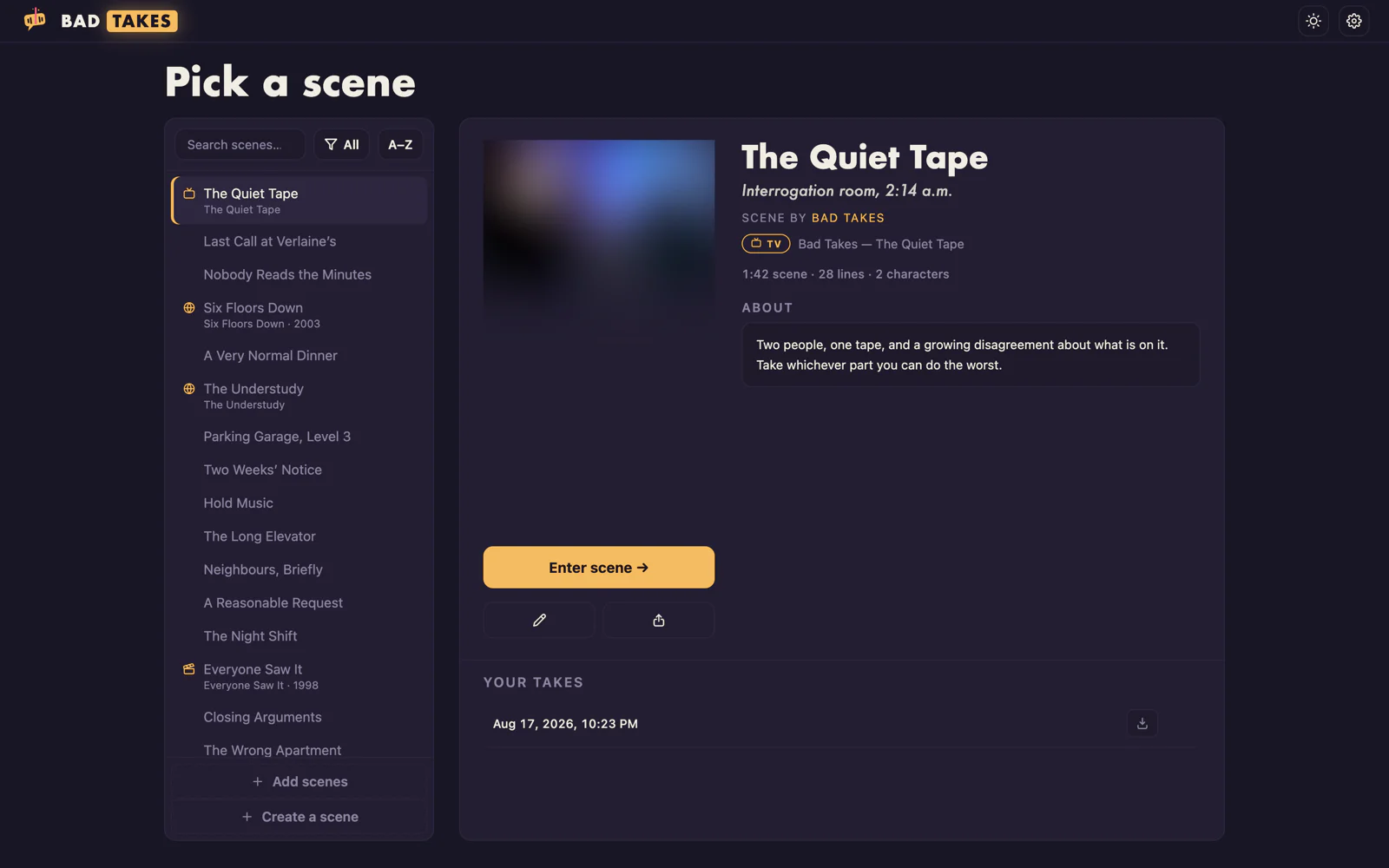
Pick a scene
Everything you've installed or built, searchable and sorted. Pick your parts; everyone else keeps their original voice.
-
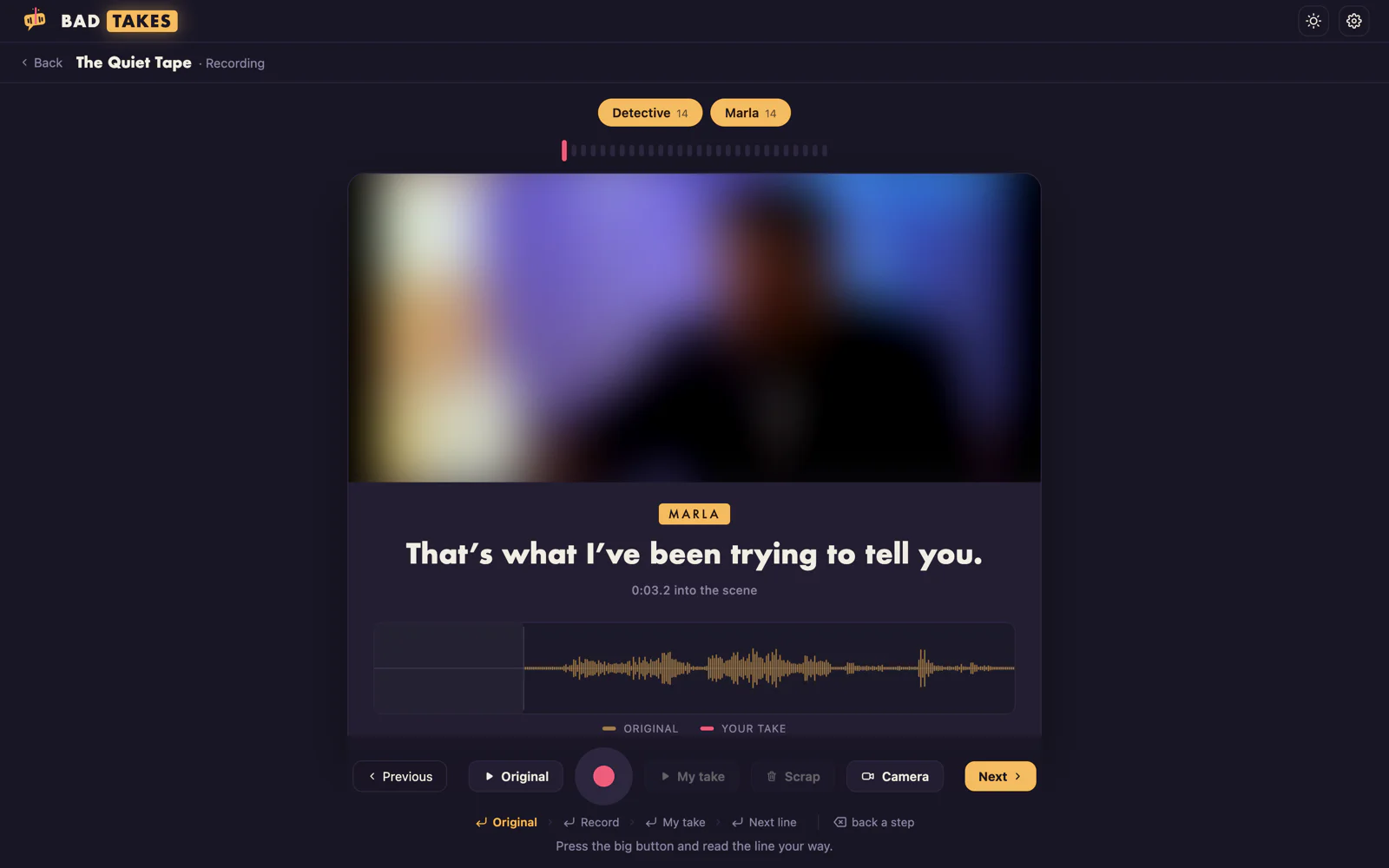
Record your bad takes
One line at a time. Hear the original, hit record, do it worse. Retake as many times as you like; only the last one counts.
-
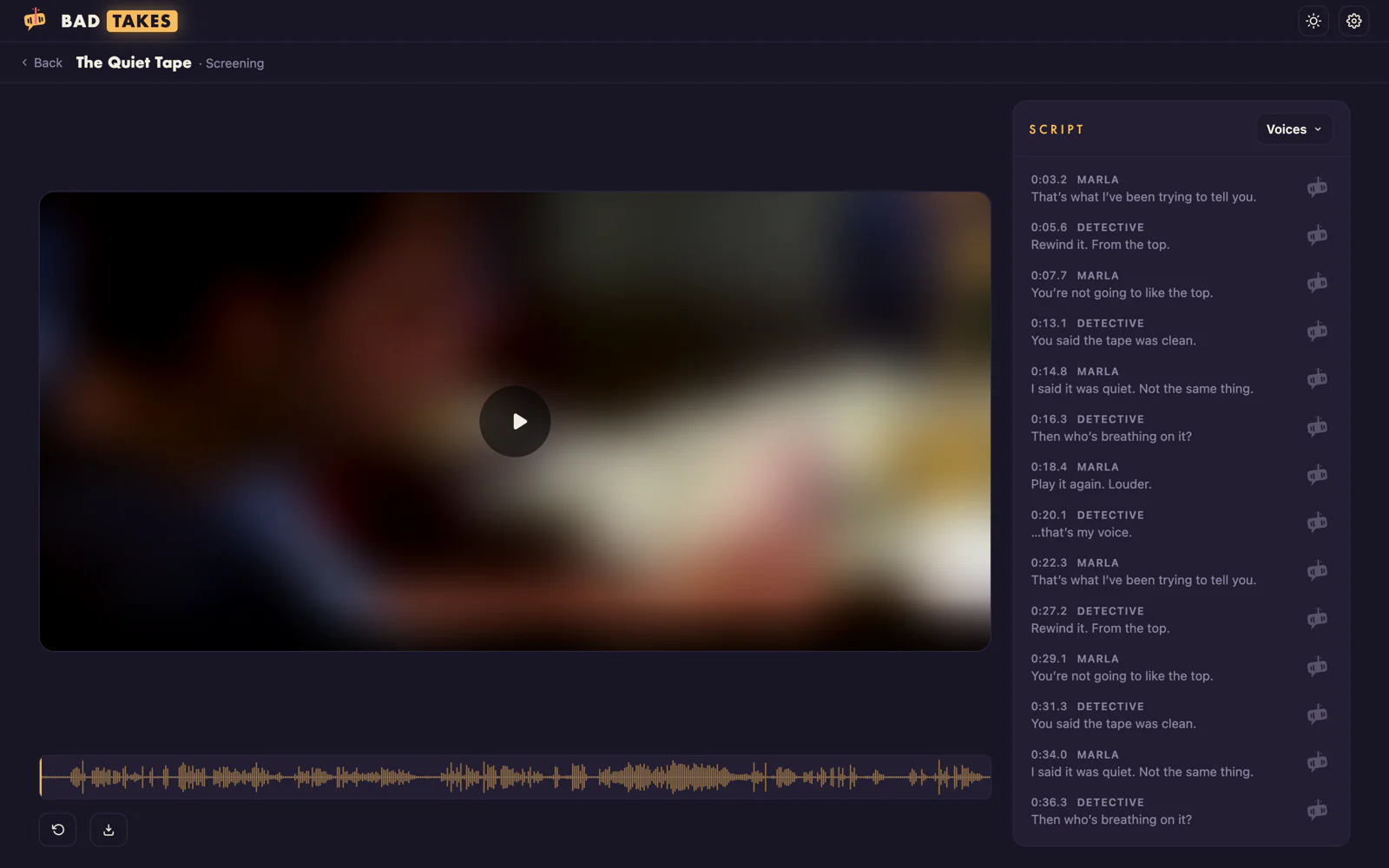
Share it to your audience
The scene plays back with your takes dropped in on time. Export it as video, audio, or a 9:16 reel with captions burned in, ready to post.
The Scene Creator
Out of scenes? Make one out of anything.
Built in
Drop in a video or paste a link, mark who says what, and Bad Takes cuts a playable scene and files it in your library. Share it as one file and anyone else can dub it too.
No video editor, no audio editor, no stem splitter.
Nothing to export between them.
Drop a video, or paste a link
-
Cut lines per character
Drag across a character's track to slice out a line, then type what they say. Two people talking over each other is just two lines that overlap.
-
Lift the dialogue off the music
One button separates the score and room tone from the voices, so your take lands over the original soundtrack instead of dead air.
-
Straight into your library
The finished scene plays straight away, stays editable, and shares as a single file. Your recordings never travel with it.
Availability
Mac first, Windows in beta.
Price
Free to use. Ten dollars to stop counting.
Free
$0
No trial, no card, no expiry
- Play and record any scene you have
- Unlimited takes and retakes
- Video, audio and vertical-reel export, always unlimited
- Install as many scenes as people send you
- Build five scenes, then one a day
- Share five scenes, then one a day
Sign in with any email. The account is what keeps your scenes yours.
Unlimited
$10
One-time purchase · no subscription
- Everything in Free, still unlimited
- Build and share as many scenes as you like
- Edit and re-cut them without counting
- Every platform the app runs on
- Updates, and Linux when it lands
Voice packs are made by the community and are not included. Bring your own, or make them.
Questions
Choicer Voicer on macOS, answered.
Is there a Choicer Voicer for Mac?
No. The Choicer Voicer builds for Windows and Linux only, and has never had a macOS version. Bad Takes is an independent Mac app that recreates its dub mode and loads the same community Dub Packs natively, with no Boot Camp, Parallels, Whisky or CrossOver in between.
Can I run Choicer Voicer on a Mac with CrossOver or Whisky?
You can, and people do — but CrossOver runs about $75 a year, Whisky has been discontinued, and either way the packs live inside a drive_c path in a Windows bottle. Bad Takes drops the compatibility layer: it is a real Mac app, and your packs sit in a normal folder.
Does Bad Takes run on Apple silicon?
Yes — a native build for M1 and later, and a separate one for Intel Macs, both on macOS 11 Big Sur or newer. No Rosetta step and no Windows layer, which is the part Boot Camp cannot do on Apple silicon at all.
How do I move my Dub Packs from a Windows PC to my Mac?
On the PC they live in the game's packs_voice folder. Copy them across however you like, then drop the pack .zip files onto the Bad Takes window — or point the importer at a folder of them. Nothing is converted or renamed, and the originals still work on the PC afterwards.
Do my existing voice packs work?
Yes, unmodified. Drop the .zip files on the window, or point Bad Takes at a packs_voice folder copied off a Windows install. Nothing is converted or rewritten, and your recordings are stored outside the pack.
Can I make my own scenes?
Yes. The Scene Creator is built in: give it a video file or a link, mark each character's lines on their own track, and it cuts a playable scene into your library. It can also separate the dialogue from the music, so your take sits over the original soundtrack — that part runs locally after one setup command.
Are any voice packs included?
No. Packs are made by the community and contain copyrighted film and TV audio, so Bad Takes neither ships nor distributes any. You bring your own, or build your own from footage you have.
Is there a Windows version?
Yes, in beta, published with every release. The builds are not signed yet, so SmartScreen shows a “Windows protected your PC” warning — choose More info, then Run anyway. The warning goes when the builds are signed.
Is Bad Takes really free?
Yes. Sign in with any email and play, record and export as much as you like, for as long as you like. Two things are metered: building a scene and sharing one as a file — each gets five at any pace, then one more every 24 hours. A $10 purchase removes both limits.
What do I get for $10?
Unlimited scene building and sharing; everything else is already unlimited on the free plan. One payment, no subscription, no per-pack fees, and it covers every platform the app runs on. You sign in with the address you bought with — no license key, and no limit on how many machines you can be signed into at once.
Do I need ffmpeg?
Only on macOS, and only for scene video: pack videos are Theora .ogv, which browsers no longer decode, so Bad Takes converts them once with ffmpeg. Without it you get still images and everything else works. The Windows build bundles it.
Where do my recordings live?
In the app's own data folder, never inside a pack. Each line keeps its latest take, and every full playthrough is saved as a finished mix under "Your takes" so you can replay or export it later.